About our WhatsApp DP Maker
This WhatsApp DP Maker helps you crop photos exactly how they'll appear inside the circular frame of the app. Upload a high-quality photo, move and scale it inside the circle, preview instantly, and download a polished profile picture ready for your account. Because everything runs in your browser, it's fast, private, and unlimited.
Use it for personal selfies, business logos, or multiple DP ideas - create as many variations as you want and pick the best one.
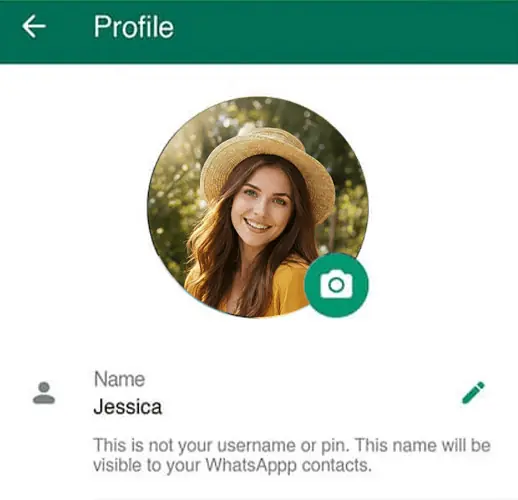
How to Make a WhatsApp Display Picture (step-by-step)
Making a WhatsApp DP is simple. Follow these steps to ensure your face, logo or icon sits perfectly inside WhatsApp’s circular view:
- Upload or drag & drop: Add a single photo or upload multiple images at once to create a set of DPs to compare.
- Center your subject: Position the important part (face or logo) inside the circular frame so corners won't be cut off when WhatsApp shows the image.
- Zoom and adjust: Use the zoom slider and drag to get the framing you want - closer portraits usually work best for profile photos.
- Choose format: Pick PNG for a transparent outer background or JPG for a clean white background that's ready to upload.
- Preview and download: See the live circular preview, then download the final image and set it as your profile picture in the app.
Tip: Try 2 - 3 versions (close-up, medium crop, and logo-only) and choose the one that looks best in the circular preview.
What this Online WhatsApp DP Maker gives you
A focused set of features that match how profile pictures are used on messaging apps: live circular preview, multiple uploads, and flexible export formats so your WhatsApp profile looks exactly how you want across devices.
🔒 Local and private: Image editing happens in your browser - we do not upload your photos to a server, keeping your pictures private and fast.
📸 Multiple uploads: Add several photos at once to quickly make different DP options for personal or business accounts.
🔍 Live circular preview: See exactly what people will see in-app so you can avoid cropped faces or chopped logos.
⬇️ PNG (transparent) & JPG (white): Download the format you need - transparent for flexible design use, JPG for a simple ready-to-upload DP.
⚡ No limits, no fees: Use it as much as you want - free and unlimited in the browser.
📱 Mobile-friendly UI: Designed to work smoothly on phones and tablets so you can crop and upload from any device.
Why a cropped circular DP matters
👤Profile Pictures
A centered WhatsApp DP makes your face easier to recognize in chats, contact lists, and group conversations.
🏷️Logo & Brand Icons
A circular WhatsApp profile picture helps logos look cleaner, sharper, and easier to notice at small sizes.
✨Cleaner Look
A clean circular WhatsApp DP looks more polished and balanced, giving your profile a neat and modern look.
Recommended sizes & how WhatsApp shows profile photos
WhatsApp accepts square images but displays them inside a circular frame. That means corners of a square image are hidden in the app view, so keep important elements centered and avoid placing faces or text near the outer edges.
For best quality across devices, upload a square image at least 500×500 pixels. Many users prefer 500–1080px for clearer results, and using a larger square image like 1080×1080 gives extra room for a sharp profile picture on modern phones.
| Recommended | Why |
|---|---|
| 1080 × 1080 px | High-resolution square gives the best quality and room to crop without losing detail on larger screens. Good for logos and portraits. |
| 500 × 500 px | A reliable minimum for crisp display across most phones — faster to upload while still sharp in the circular crop. |
| 192 × 192 px (minimum) | Lowest acceptable size for older devices; avoid this size if you want a sharp, modern look. |
Why choose this WhatsApp DP Maker?
This tool is built to make WhatsApp profile photos that look right in the app. It’s browser-only (no installs), free with unlimited use, and tailored for circular preview so you don’t waste time guessing how the final DP will appear.
🔒 Privacy-first
All editing happens locally in your browser, so your photos stay private. Nothing is uploaded to a server, which also makes the tool faster and smoother.
⚡ Fast & easy
Upload your photo, adjust the circular crop, preview it live, and download in seconds. No design skills needed and no confusing extra steps.
🖼️ Flexible downloads
Download as PNG with transparent background or JPG with a white background. This gives you more control depending on how you want to use your WhatsApp DP.
📸 Crop multiple photos
Upload multiple images at once and crop them one by one without re-uploading. Compare different WhatsApp DP options easily.
📱 Works on any device
The tool works smoothly on mobile, tablet, and desktop browsers, so you can make a WhatsApp profile picture from any device without installing an app.
🚫 No watermarks
Your final image stays clean and ready to use. We do not add watermarks, branding, or any unwanted marks to your downloaded WhatsApp DP.
Tips for the best WhatsApp DP
- Center the face or logo: The circular crop hides corners, so keep the subject in the middle to avoid chopping.
- Use a clear background: A clean backdrop helps faces and icons read well at small sizes.
- Avoid text near edges: Small text will be hard to read when the image is shown as a small circular icon.
- Prefer close-up portraits: Head-and-shoulder shots work better than full-body photos for profile pictures.
- Export at a higher size: Download at 500–1080px so the app can resize without visible blur.
Related Tools & Guides
FAQs - WhatsApp DP Maker
- What is the best WhatsApp DP size?
- A 500x500 px or bigger like 1080x1080 px is even better so it looks clear on phones.
- How do I make sure my face or logo fits?
- Use the circle preview to center it. Everything outside the circle gets cut off.
- Should I use PNG or JPG for WhatsApp DP?
- Use PNG for a transparent background and use JPG with white background for a ready-to-use DP.
- Can I upload multiple photos at once?
- Yes, you can upload several photos together and crop them one by one without uploading again and again.
- Will my photo lose quality after cropping?
- No, the tool keeps the photo quality intact as original, so the DP looks clear after cropping.
- Can I use the tool on my phone?
- Yes, the tool works same on phones, tablets, and computers - no app needed.
- Is the tool safe and private?
- Yes, everything happens in your browser. Nothing is uploaded, so your photos stay private.
Ready to make your WhatsApp DP?
Upload a photo, position it in the circular preview, and download a clean WhatsApp profile picture in seconds - free and unlimited.